Resolve blueprint
A node tree built to be adjusted, not copied blindly
Normalize camera originals into DaVinci Wide Gamut / DaVinci Intermediate with Resolve Colour Management or a documented input CST, and give fire, smoke and muzzle-flash elements their own input transforms. Place exposure from faces and from the brightest surface that must keep texture — a sky, a tiled wall, a white face — before any palette work.
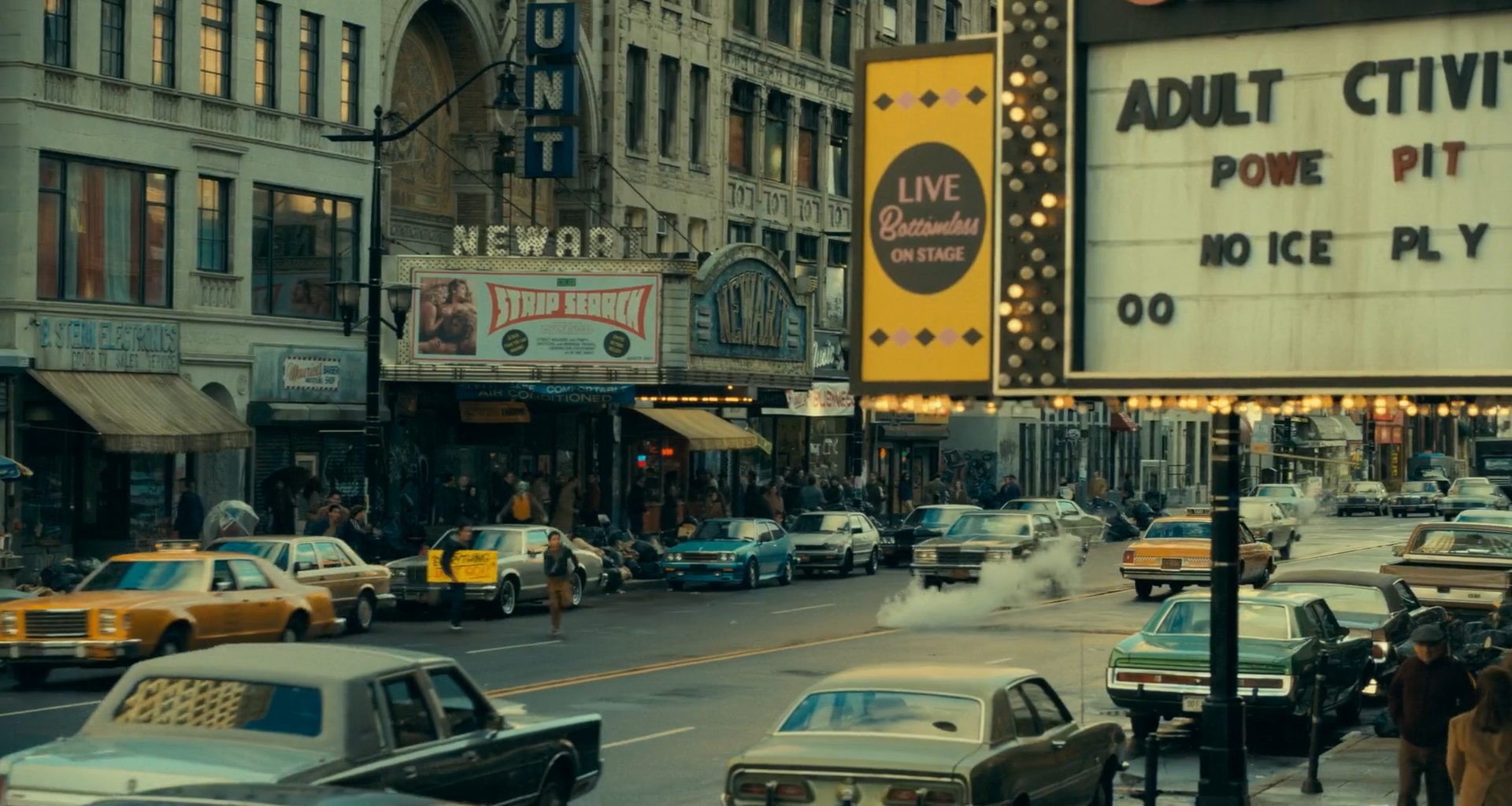
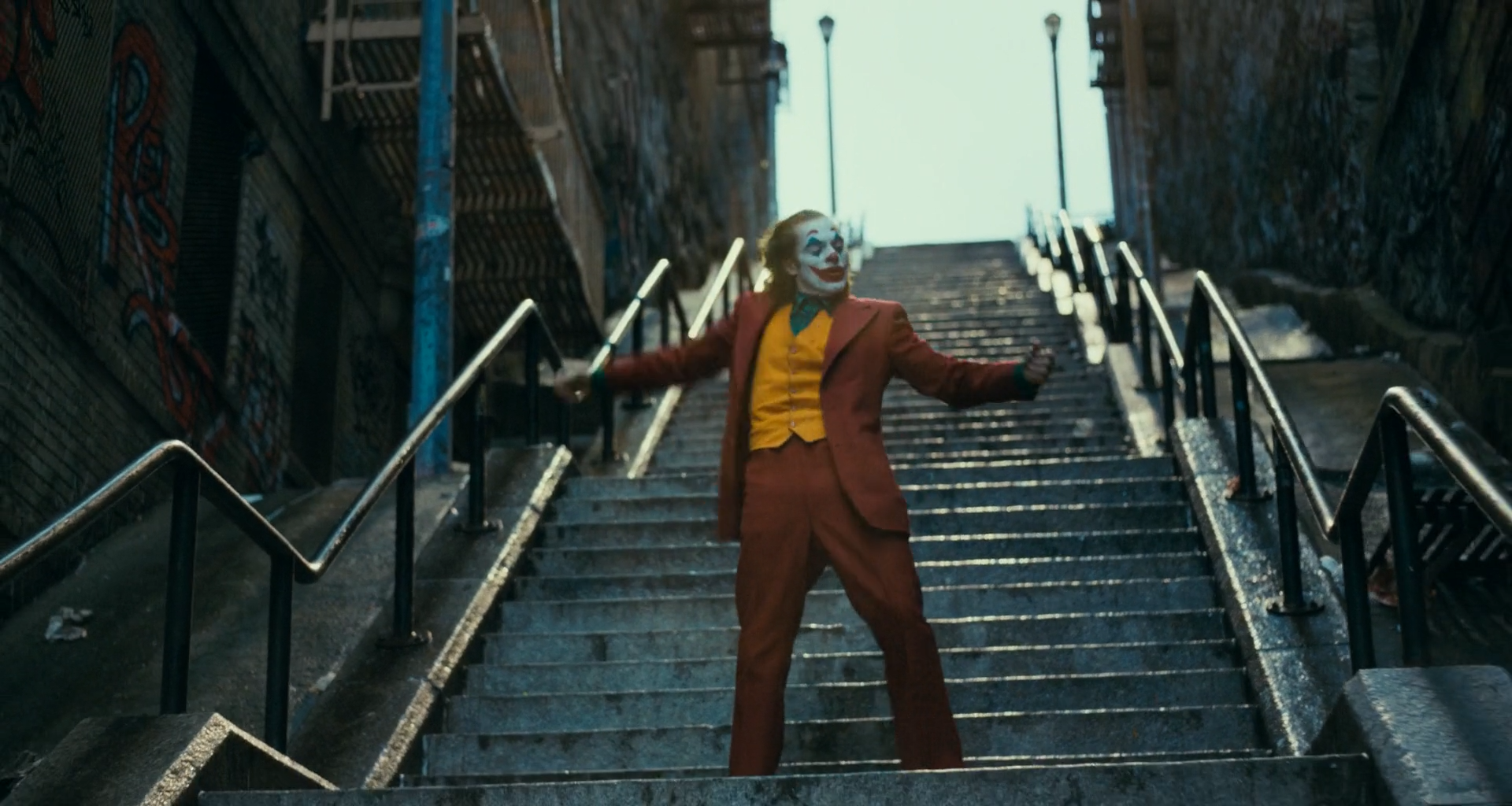
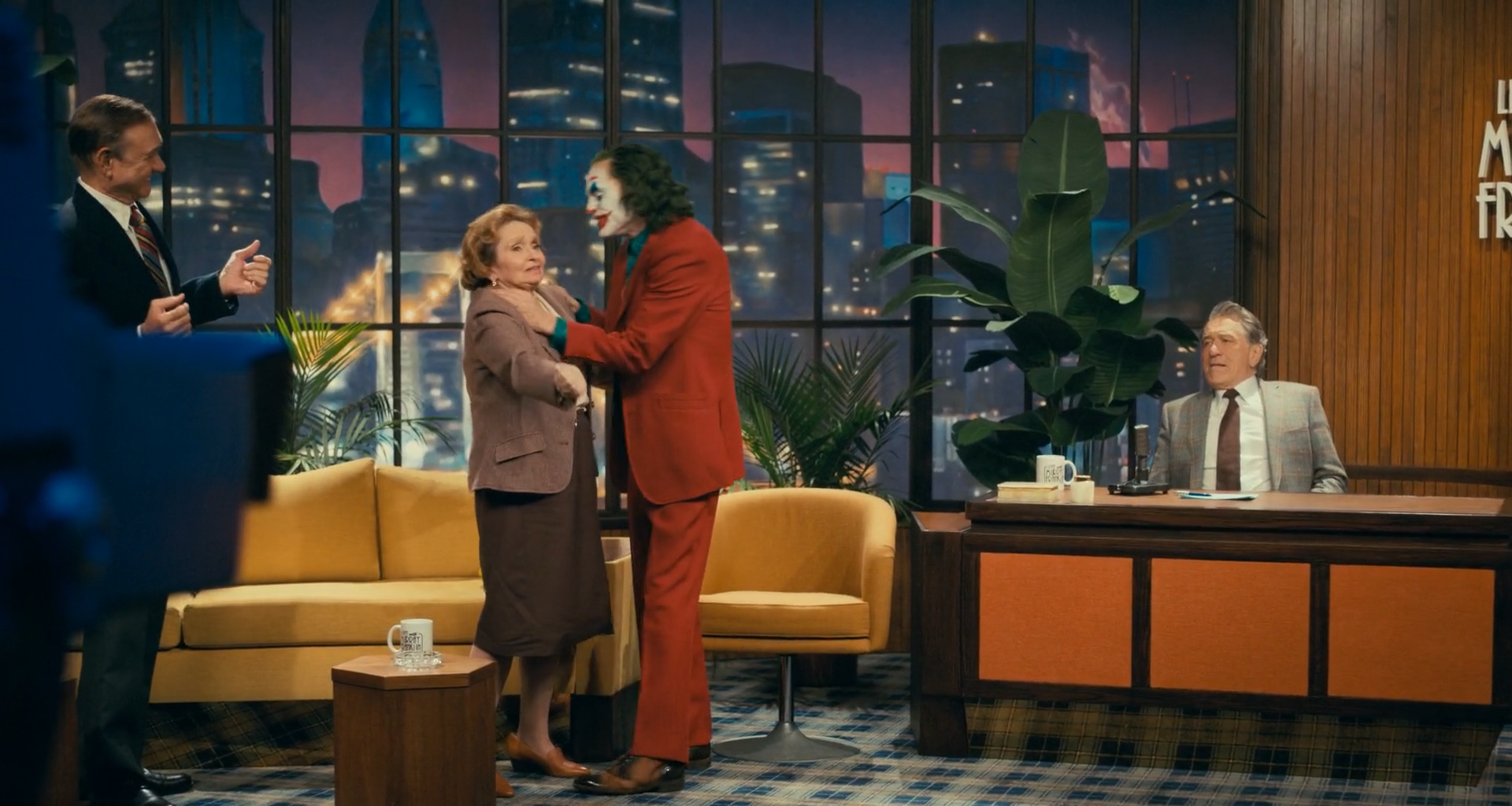
Keep the ambient (olive, green, teal) and the sources (sodium, tungsten, neon, fire) in separable branches, and keep skin and greasepaint on a third. The film's look depends on the ambient reaching into the shadows of faces while the lit side stays human. Suggested settings are starting ranges for suitable log or raw footage, never recovered originals.
Group Pre-ClipJ01
Input transform
Normalize camera, plate and element sources correctly before judging a green ambient or a white face.
Do this
- Decode raw from camera metadata, or transform documented log data into DaVinci Wide Gamut / DaVinci Intermediate.
- Give fire, smoke and flash elements their own input transforms before compositing.
- If project colour management already performs the IDT, omit this node rather than doubling it.
Starting points
- Keep creative tone mapping out of the input stage; display mapping belongs in J14.
- For comparison with the reference PNGs only, use Rec.709 gamma 2.4 as an explicit assumption.
Watch
- A wrong transfer shifts the olive ambient toward yellow or grey.
- Confirm data/video levels before treating a lifted black as intentional.
Clip · serialJ02
Exposure and neutral anchor
Place exposure from faces and from the brightest textured surface; balance from credible neutrals without removing the ambient green.
Do this
- Use Offset for exposure, then HDR or Log wheels for zone placement.
- Balance from white shirts, tiles or overcast sky only after checking what light they are in.
- Set faces from the lit side.
Starting points
- Begin within about ±0.3 stop on well-exposed log material.
- Keep temperature and tint corrective; the ambient colour is built in J04.
Watch
- Auto-neutral on a fluorescent wall removes the scene's reason to look ill.
- Exposing for the shadows lifts the film out of its density.
Clip · serialJ03
Dense toe, soft shoulder
Keep darks dense with grain and a faint colour, and roll highlights softly so skies, tiles and white paint keep texture.
Do this
- Shape the toe with Custom Curves or HDR Shadow; keep black just above clipping.
- Roll the shoulder with HDR Highlight/Specular for skies, tubes and white faces.
- Keep midtone contrast moderate.
Starting points
- Try contrast around 1.08–1.20 with pivot 0.38–0.45.
- Soft clip only as a final guard.
Watch
- Crushed blacks that remove grain and the ambient hue.
- Clipped greasepaint or tiles turning flat white.
Clip · serialJ04
Olive and teal ambient
Carry the ambient into the shadows and lower mids as olive in daylight and teal-green under fluorescent and neon.
Do this
- Use Log or HDR Shadow wheels to move shadows toward yellow-green or teal by scene.
- Use Hue vs Hue to pull stray blues toward cyan-green.
- Keep the ambient out of lit skin via J05.
Starting points
- Start with small shadow moves, a few degrees toward yellow-green or cyan, at low saturation.
- Judge on the vectorscope: the cool arm should point between yellow-green and cyan, not blue.
Watch
- A blue split-tone that reads as a different film.
- Ambient green reaching lit skin and making faces sick everywhere, not only where the scene wants it.
Clip · parallelJ05
Skin and greasepaint
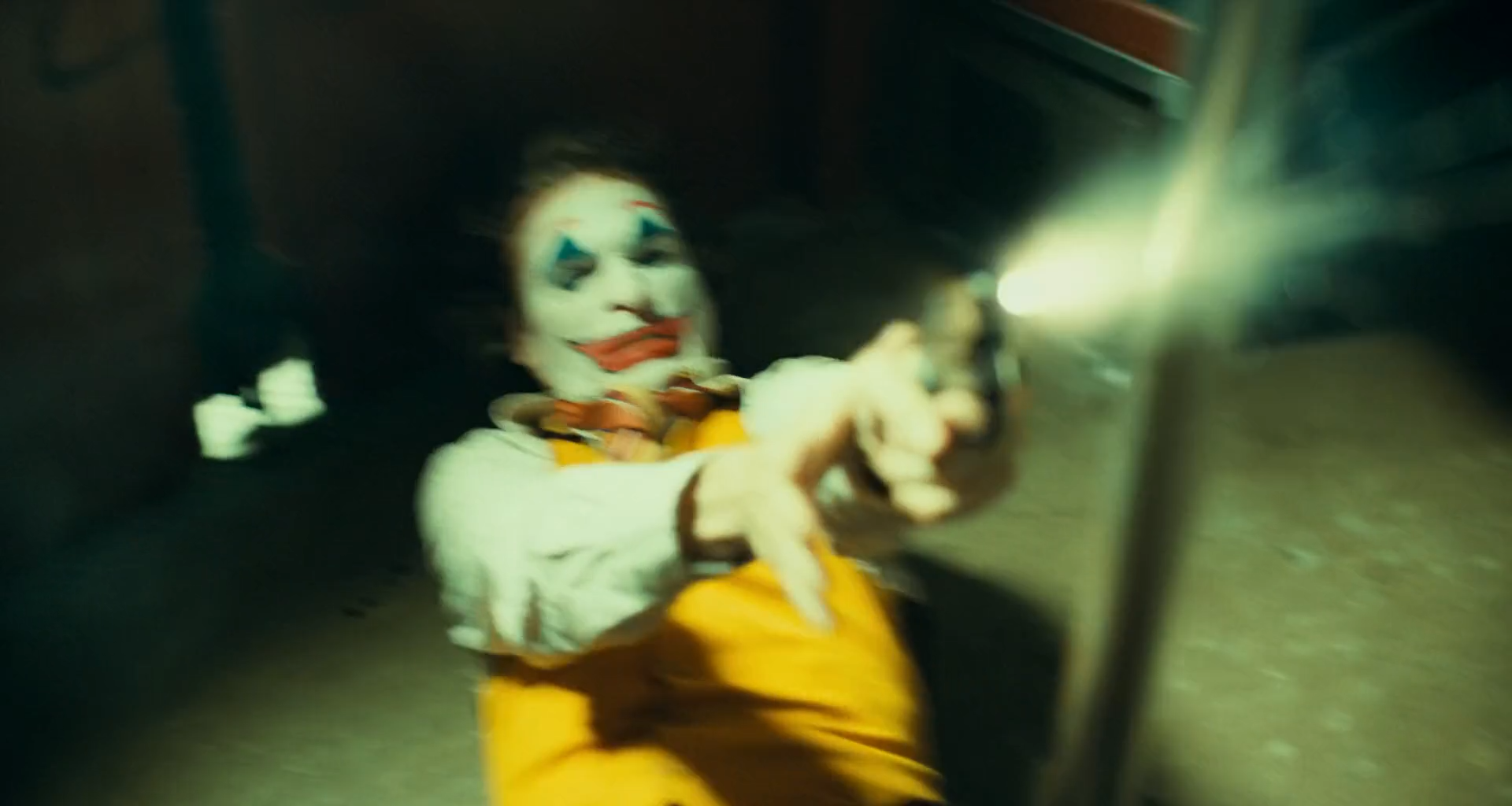
Keep lit skin human and greasepaint distinct — white base, red mouth, blue diamonds — while allowing the scene's light to colour them.
Do this
- Key skin with a soft HSL qualifier intersected with face windows; limit the ambient on the lit side.
- Key red greasepaint separately; hold its hue and keep it from bleeding into skin.
- Let a green or amber light remain on the white base; do not neutralize it.
Starting points
- Reduce ambient on lit skin by 20–50% of its strength; density moves of 0.1–0.25 stop.
- Small hue moves inside the greasepaint key.
Watch
- Neutral skin in a green room looks pasted in.
- White greasepaint clipping and losing its brush texture.
Clip · parallelJ06
Costume colour
Hold the rust suit, mustard waistcoat and green shirt as distinct families under every light.
Do this
- Narrow Hue vs Sat and Hue vs Hue ranges on rust, mustard and green.
- Protect them from the ambient compression in J04.
Starting points
- Move hues by no more than 3–8° and saturation by 5–15%.
- Match the suit across a scene, not across the film.
Watch
- Rust suit drifting to brown or pink.
- Mustard waistcoat merging with amber light.
Clip · parallelJ07
Sodium, tungsten and neon practicals
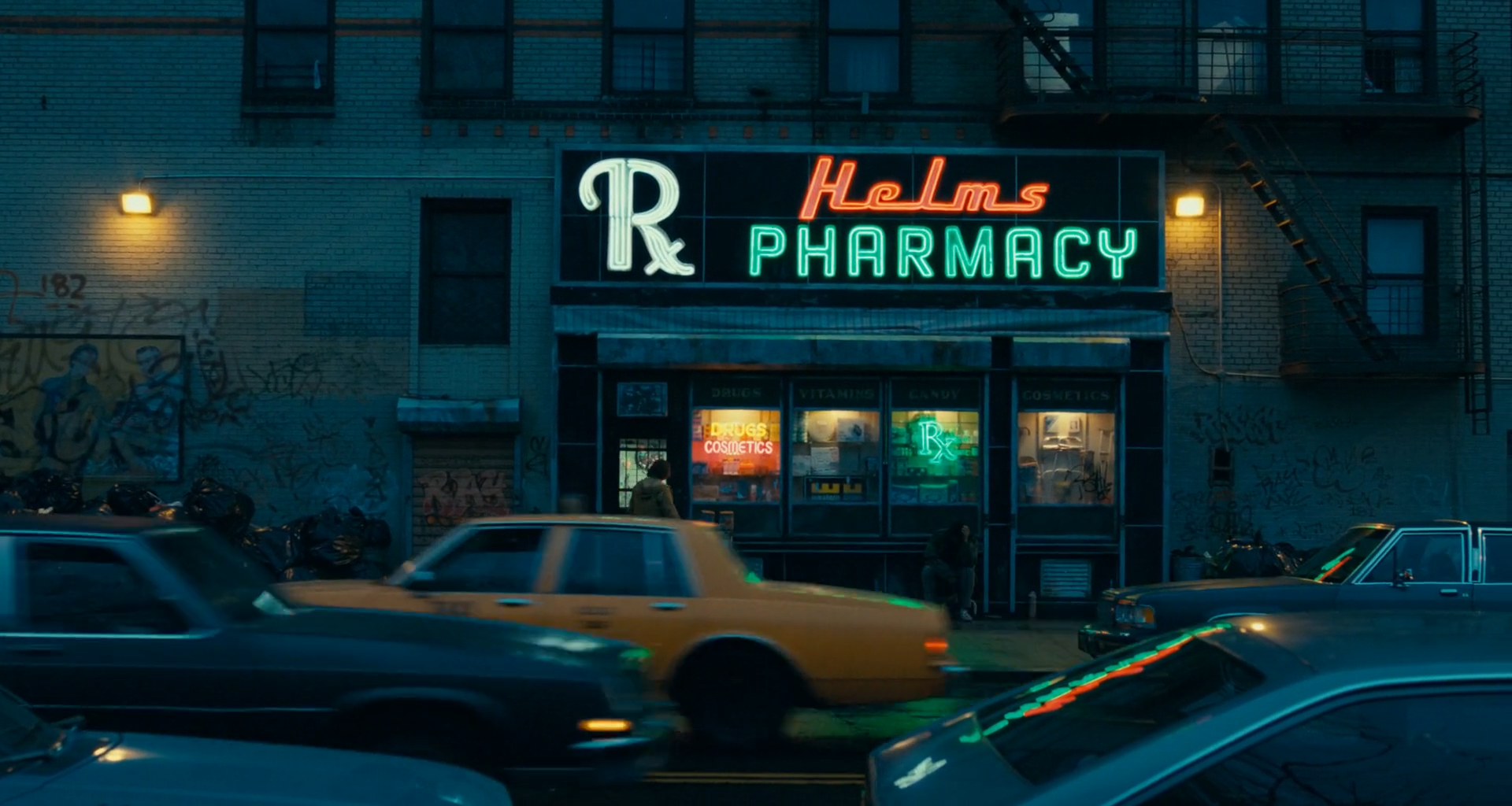
Keep streetlamps, wall lamps and neon as sources with their own colour and a controlled spill.
Do this
- Key practicals and their pools; adjust density and hue separately.
- For neon, key each colour separately and hold hue at the core.
- Keep sodium amber and tungsten distinct.
Starting points
- Start with −0.2 to −0.5 stop inside practical keys and ±5–10° hue.
- Soft 5–10 px edges on neon.
Watch
- Neon clipping a single channel and shifting hue.
- Spill graded up until everything takes the source's colour.
Clip · parallelJ08
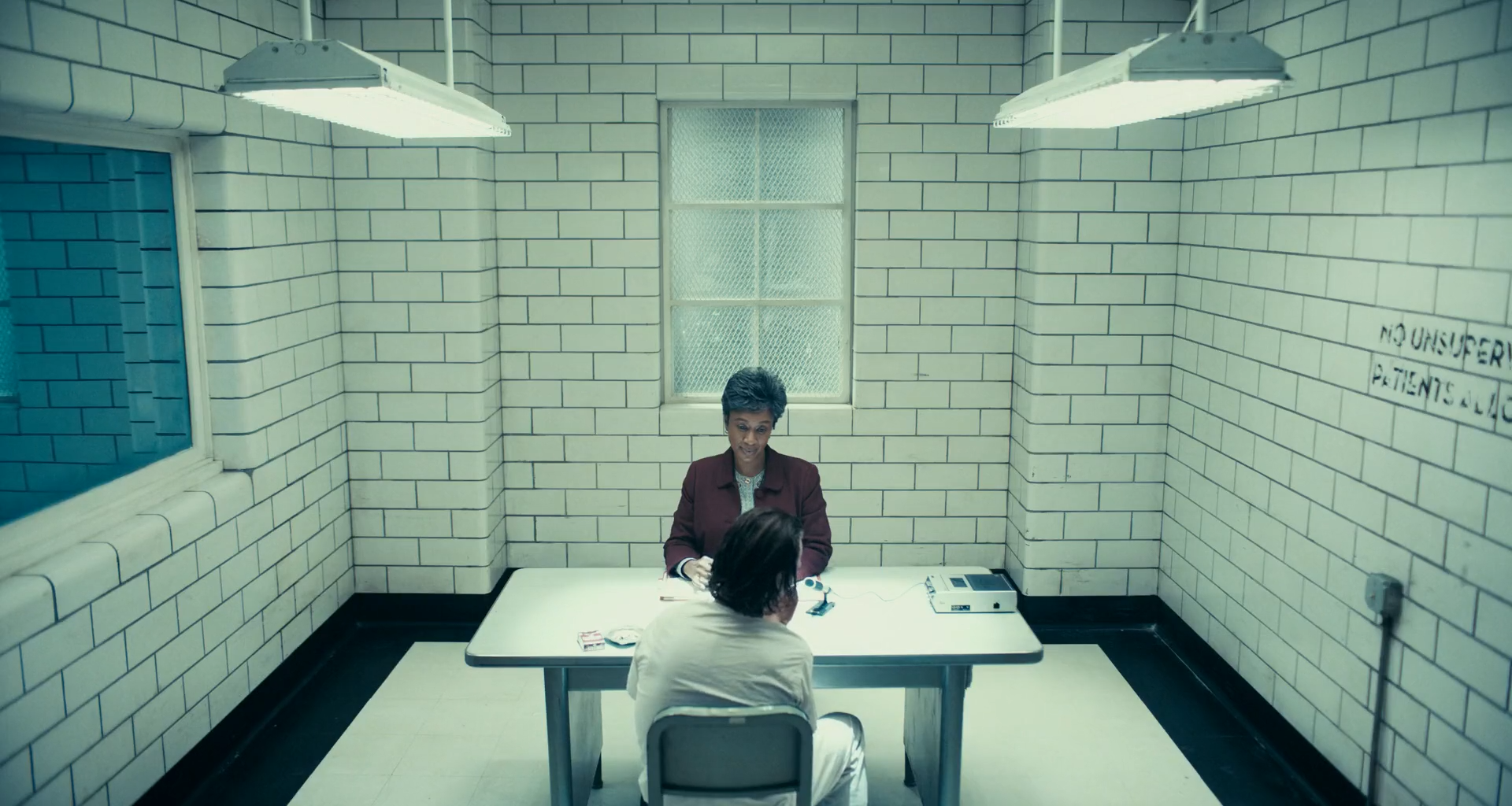
Fluorescent institutions
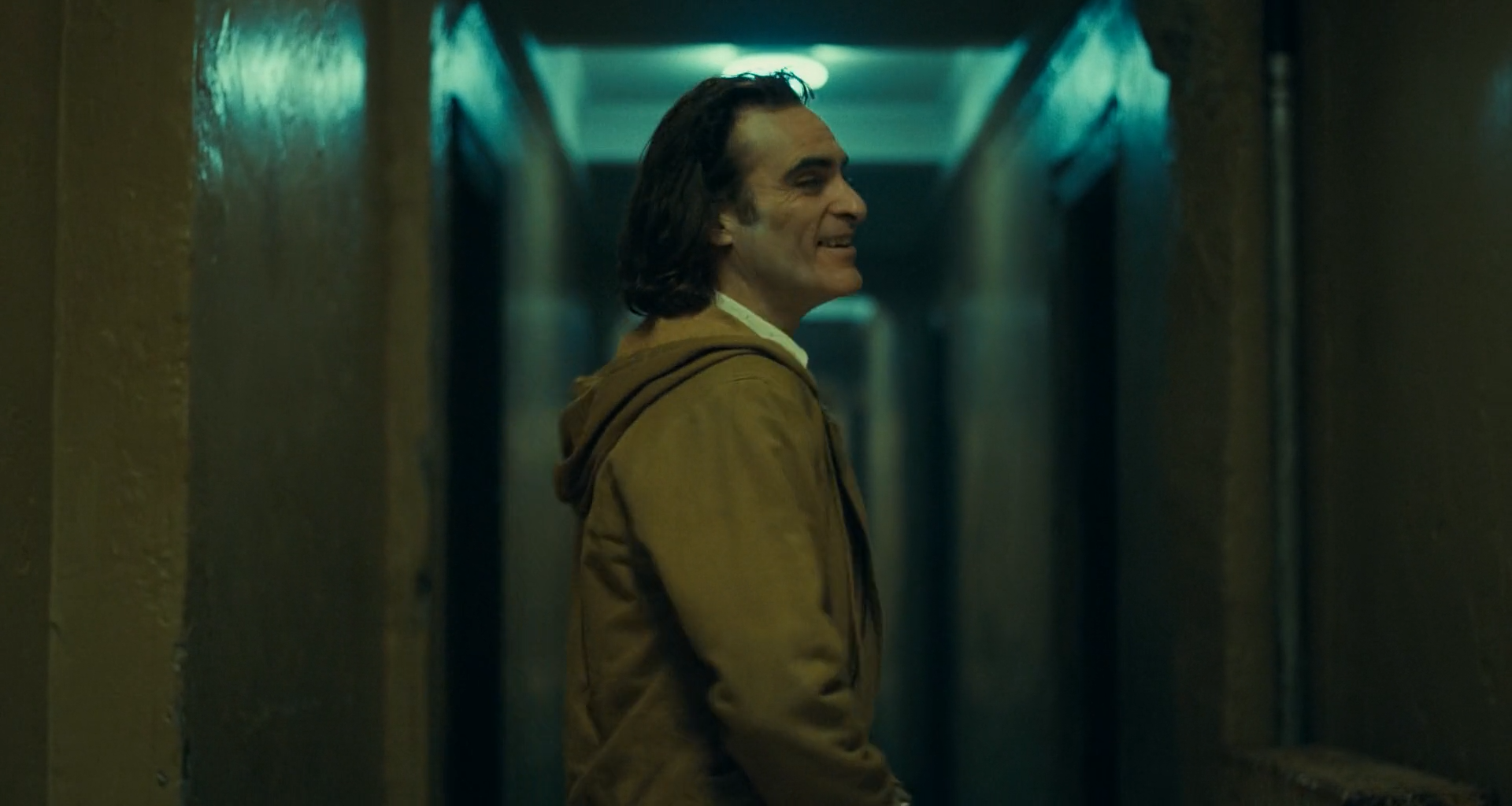
Build fluorescent interiors — corridors, wards, tiled rooms — as green-teal casts over bright or dark architecture.
Do this
- Keep the fluorescent cast in walls, floors and shadows.
- In high-key rooms roll tiles and tubes below white with the cast intact.
- Keep a little warmth in faces within the cast.
Starting points
- Start with a cast of a few degrees toward green-cyan in the mids; keep tubes' cores just below clipping.
- Check the green channel doesn't clip before the others.
Watch
- Neutralizing fluorescent until the room loses its temperature.
- Green channel clipping and posterizing tiles.
Clip · parallelJ09
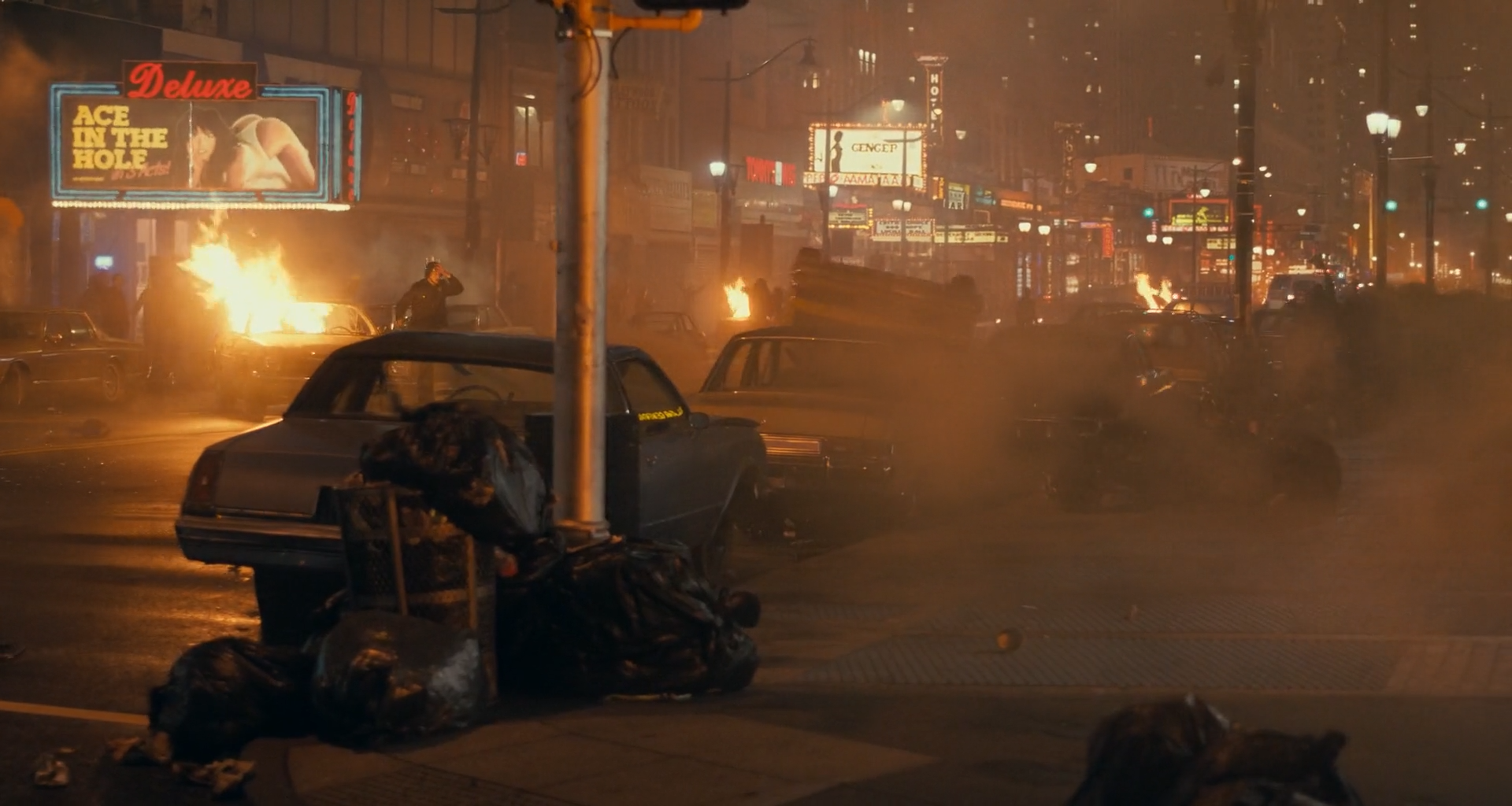
Smoke, haze and fire
Keep smoke as a warm-lit veil and fire as the brightest warm source without flattening depth.
Do this
- Key smoke by luminance and adjust its density and warmth on its own.
- Hold fire cores below clipping; keep their falloff into smoke.
- Keep the far city behind the smoke readable as layers.
Starting points
- Start with small density moves, ±0.1–0.3 stop on smoke.
- Fire cores at the top of the scale with a soft roll.
Watch
- Smoke key lifting all blacks.
- Fire clipping to white blobs with orange rims.
Clip · serialJ10
Local light shaping and face hierarchy
Shape attention with soft windows that follow real light: lift eyes and the lit side of faces, quiet large bright surfaces.
Do this
- Soft tracked windows on faces and dominant bright areas.
- Deepen large unlit areas only where the photography places darkness.
Starting points
- Start with +0.1 to +0.3 stop on face windows and −0.2 to −0.5 stop on distracting surround.
- Feather generously, 30–60% of window size.
Watch
- Visible window drift on moving heads or during camera moves.
- A lifted face losing its shadow side.
Clip · serialJ11
Luminance-dependent saturation
Keep colour believable at the extremes: little chroma in deep shadow, controlled colour in near-white.
Do this
- Lum vs Sat to reduce chroma in the deep toe and near white.
- Check whites for hue shift toward green or yellow as the shoulder rolls.
Starting points
- Start with 15–30% saturation reduction below about 8% luma and 10–20% above about 90%.
- Watch the tiled walls and the sky.
Watch
- Coloured noise in dense darks.
- Whites going lime green at the shoulder.
Clip · parallel · optionalJ12
Grain and texture
Keep a visible, film-like grain structure that holds up in dense darks without blurring faces.
Do this
- Add grain after the grade, sized to the frame and matched across cameras.
- Keep noise reduction light and before the grade.
- Starts bypassed; enable to match the reference texture.
Starting points
- Medium grain, judged at 100% on skin and in the toe.
- No sharpening beyond the camera's.
Watch
- Grain that becomes coloured in the darks.
- NR that makes faces waxy.
VFX / Clip · parallelJ13
Flash and element integration
Integrate muzzle flashes, fire, smoke and period cleanup with the plate's black, grain and light.
Do this
- Match element black and grain to the plate.
- Give a flash matching spill on faces and nearby surfaces.
- Keep single-frame events consistent with adjacent frames.
Starting points
- Start with element black at or slightly above the plate's toe.
- Review at speed and frame by frame.
Watch
- A flash brighter than any plate highlight with no spill on the subject.
- Grain mismatch inside elements.
Group Post-ClipJ14
Output transform and trim
Render the scene-referred grade to the calibrated delivery while keeping display trims out of the shared look.
Do this
- Use Resolve Colour Management or a CST from DWG/Intermediate to the required gamut and transfer.
- Inspect neon, fire and fluorescent whites for compression after the transform.
- Create separate SDR, HDR or alternate-display trims rather than changing the graph.
Starting points
- For comparison with the reference PNGs, monitor Rec.709 gamma 2.4 in a controlled surround.
- Soft clip only as a final guard.
Watch
- A double output transform shifts the ambient and the greasepaint.
- Banding in smoke and dark gradients in the encoded deliverable.